Overview
The Answering Agent Partner API uses API keys for authentication. API keys are simple, secure tokens that identify your partner account and authorize access to manage customer organizations, users, and locations. Usehttps://answeringagent.com/api/v1 as the permanent production base URL. Existing integrations that still call the legacy api.answeringagent.com hostname are redirected for compatibility, but new integrations should call the permanent URL directly.
This documentation covers the Partner API for building integrations. If you’re looking to embed the Answering Agent dashboard in your application, see the Embed Guide after completing initial setup.
How Authentication Works
- Generate an API Key from your Answering Agent partner dashboard
- Include the key in the
X-API-KEYheader for every API request - Access granted - The API key identifies your partner account and provides access to your customer organizations
Obtaining Your API Key
1
Sign in to your partner dashboard
Log in to the Answering Agent dashboard with your partner account credentials.
2
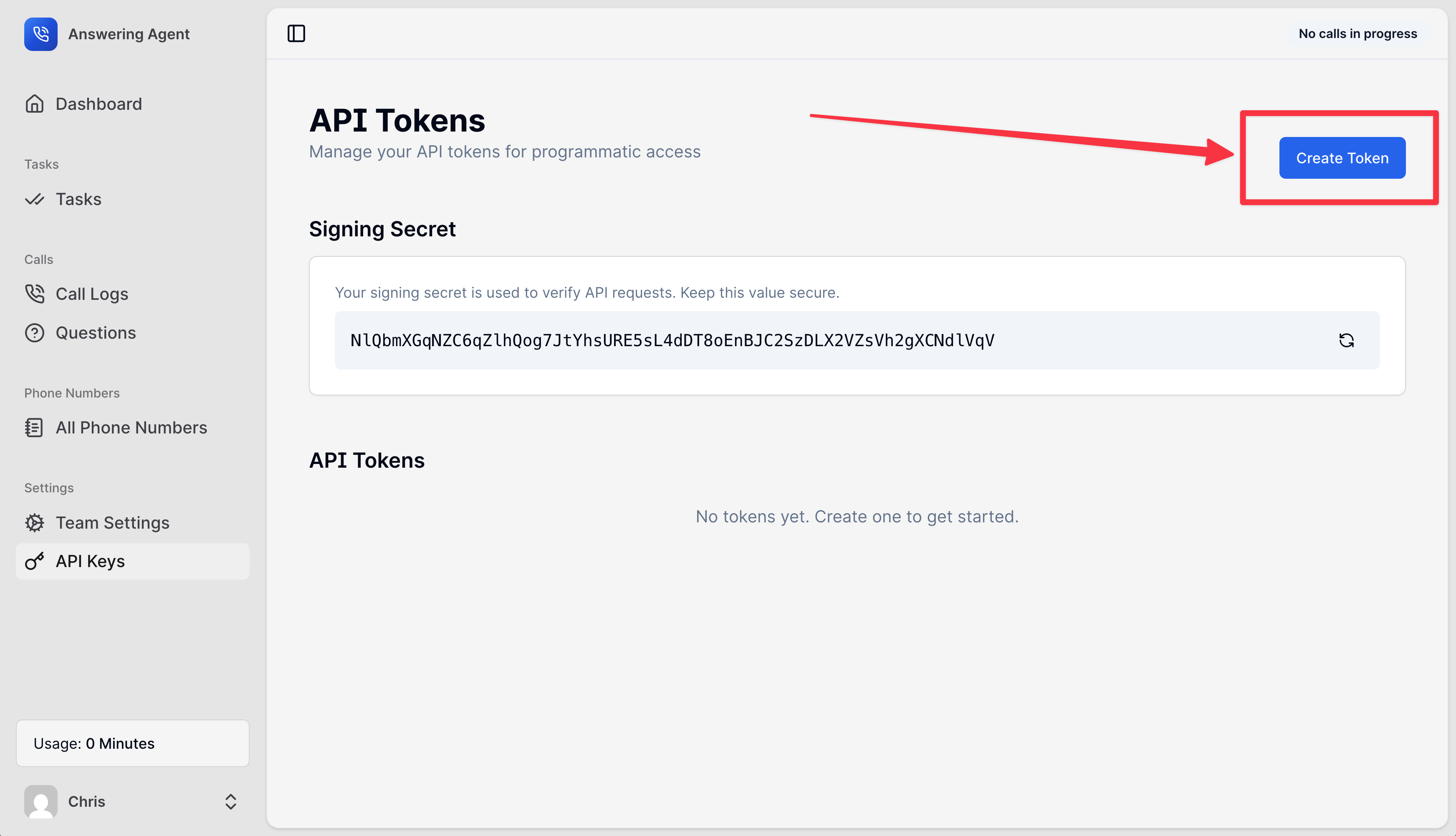
Navigate to API Keys settings
Go to Settings → API Keys in the dashboard navigation.
3
Generate a new key
Click Generate New Key. The key is displayed once—copy it immediately.
4
Store securely
Save the key in your backend environment variables or secrets manager. Never expose it in client-side code.
Using Your API Key
Include your API key in theX-API-KEY header for every request to the Partner API:
Required Header
string
required
Your API key from the partner dashboard. All partner API endpoints require this header.
Response Codes
Understanding Token Types
Answering Agent uses different authentication methods for different purposes. As a partner integrator, you only need to worry about API Keys.You may see references to “Bearer tokens” or login endpoints in our API. These are for internal use by the Answering Agent dashboard and are not needed for partner integrations.
Example Integration
Here’s a complete example of authenticating and creating your first customer organization:- cURL
- JavaScript
- Python
- PHP
Security Best Practices
Frequently Asked Questions
Can I use the same key for multiple environments?
Can I use the same key for multiple environments?
While technically possible, we recommend generating separate API keys for development, staging, and production environments. This makes it easier to rotate keys and debug issues without affecting production traffic.
What happens if my API key is compromised?
What happens if my API key is compromised?
Immediately revoke the compromised key in Settings → API Keys and generate a new one. Update your integration with the new key. The old key will stop working immediately after revocation.
Can I expose my API key in client-side JavaScript?
Can I expose my API key in client-side JavaScript?
No! API keys should only be used from your backend servers. Exposing them in browser JavaScript would allow anyone to access your partner account and manage your customer organizations.
How is this different from the /api/auth/login endpoint?
How is this different from the /api/auth/login endpoint?
The
/api/auth/login endpoint is used internally by the Answering Agent dashboard for user logins. As a partner, you use API keys with the /api/v1/* endpoints instead. You don’t need to worry about the login endpoint.Do I need to sign my requests with HMAC or timestamps?
Do I need to sign my requests with HMAC or timestamps?
No. Simply include your API key in the
X-API-KEY header. No additional signing or cryptographic operations are required.What if I need to give customers access to their dashboard?
What if I need to give customers access to their dashboard?
Use embed tokens! After creating a customer organization, retrieve an embed token for the owner user and embed our dashboard in your application. See the Embed Guide for details.
Can I have multiple API keys active at once?
Can I have multiple API keys active at once?
Yes! You can generate multiple API keys and they will all work simultaneously. This is useful for key rotation (generate new key, update systems, then revoke old key) or for different services.
Next Steps
Now that you understand authentication, you’re ready to start building your integration:Organizations
Create and manage customer organizations
Users
Add users to organizations
Locations
Set up phone numbers and locations
Quickstart Guide
Build your first integration in 5 minutes
Support
If you have questions about authentication or need help with your integration:- Email: support@answeringagent.com